Transition 예제 (2)
<!DOCTYPE html>
<html lang="en">
<head>
<meta charset="UTF-8">
<meta http-equiv="X-UA-Compatible" content="IE=edge">
<meta name="viewport" content="width=device-width, initial-scale=1.0">
<title>Step01_Transition2.html</title>
<style>
.box{
width: 100px;
height: 100px;
border: 1px solid red;
}
#one{
transition: all 5s ease-in-out; /* 처음에 천천히 */
}
#two{
transition: all 5s ease-out; /* 나중에 천천히 */
}
#three{
transition: all 5s linear; /* 계속 일정하게 */
}
.margin{
margin-left: 800px;
}
</style>
</head>
<body>
<div class="container">
<h3>transition timing function 테스트</h3>
<div class="box" id="one"></div>
<div class="box" id="two"></div>
<div class="box" id="three"></div>
<button id="startBtn">start</button>
</div>
<script>
document.querySelector("#startBtn").addEventListener("click", function(){
//클래스가 box 인 모든 div 를 선택해서 동작하기
document.querySelectorAll(".box").forEach(function(item){
item.classList.add("margin");
});
});
</script>
</body>
</html>
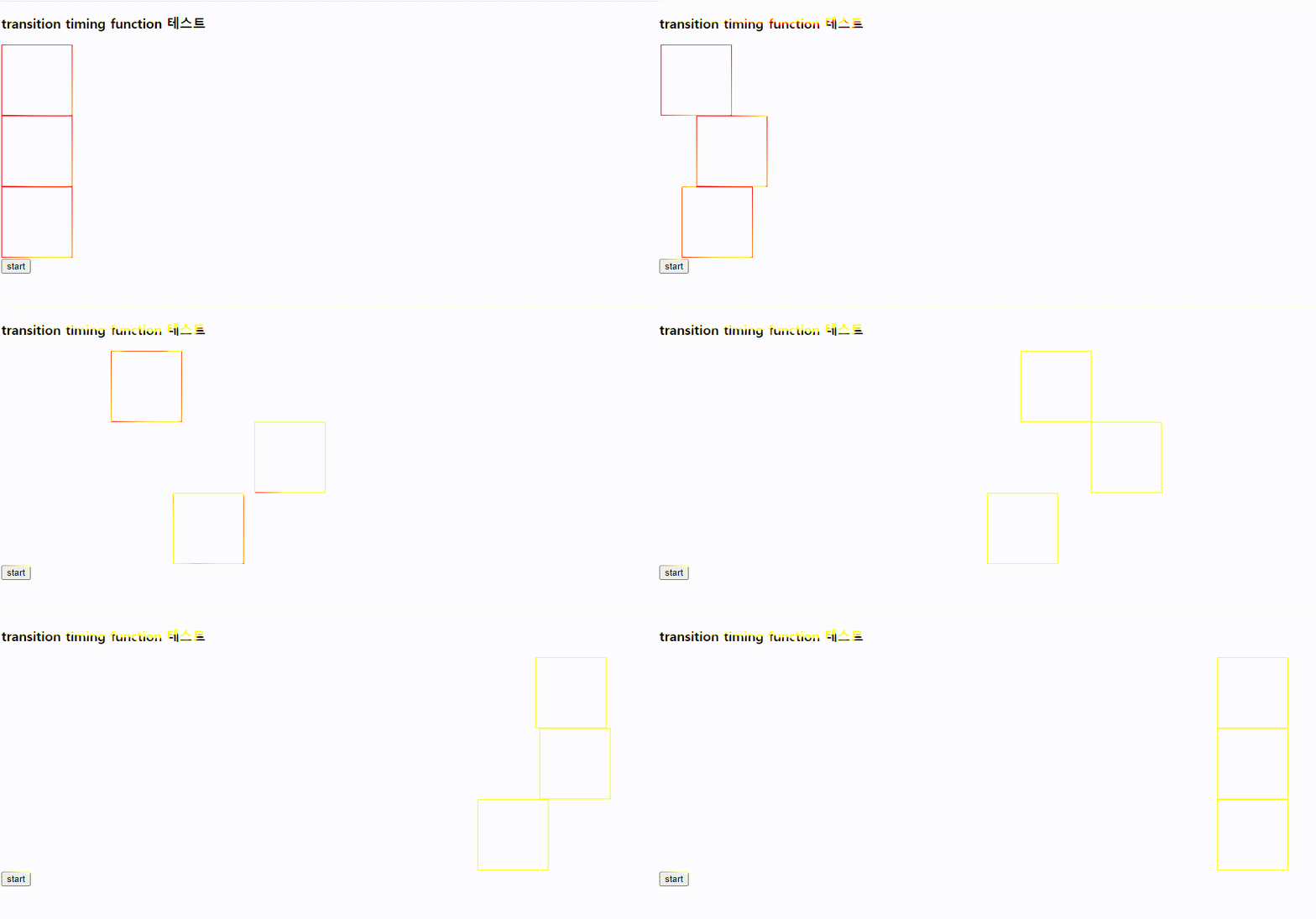
transition-timing-function:속성 종류
ease-in-out : 처음에 천천히
ease-out : 나중에 천천히
linear : 계속 일정하게
웹브라우저 실행)
'CSS' 카테고리의 다른 글
| Transition (4) (0) | 2023.07.12 |
|---|---|
| Transition (3) (0) | 2023.07.11 |
| Transition (1) (1) | 2023.07.11 |
| Bootstrap Popover 디자인 및 동작 (0) | 2023.06.14 |
| Bootstrap Dropdown 디자인 및 동작 (0) | 2023.06.12 |


