Eclipse 설치
링크로 들어가서 우측 상단 Download 클릭
The Community for Open Innovation and Collaboration | The Eclipse Foundation
The Eclipse Foundation provides our global community of individuals and organizations with a mature, scalable, and business-friendly environment for open source …
www.eclipse.org
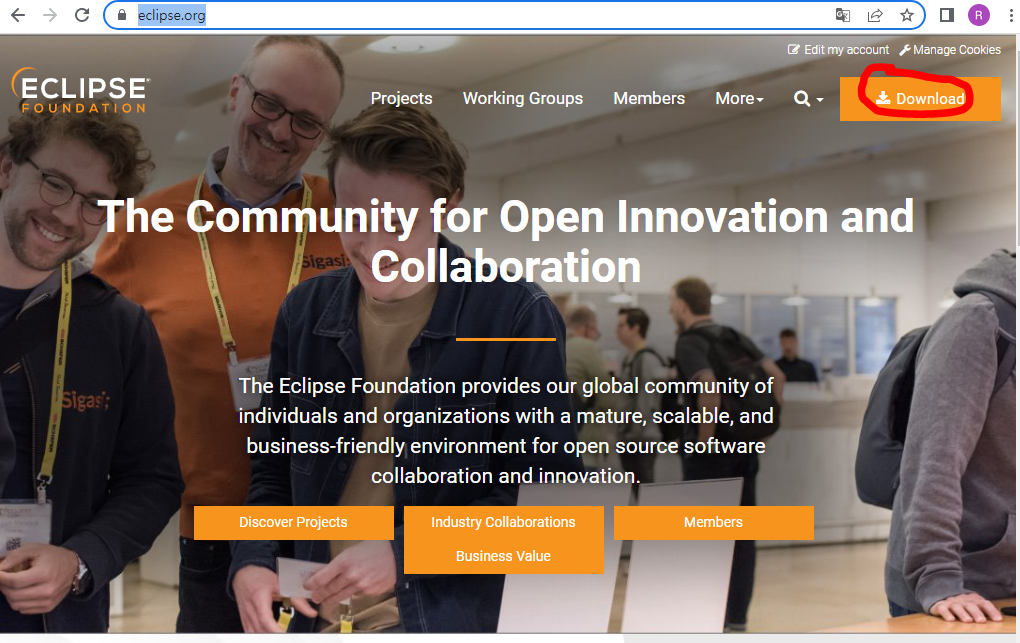
2. Download Packages 클릭

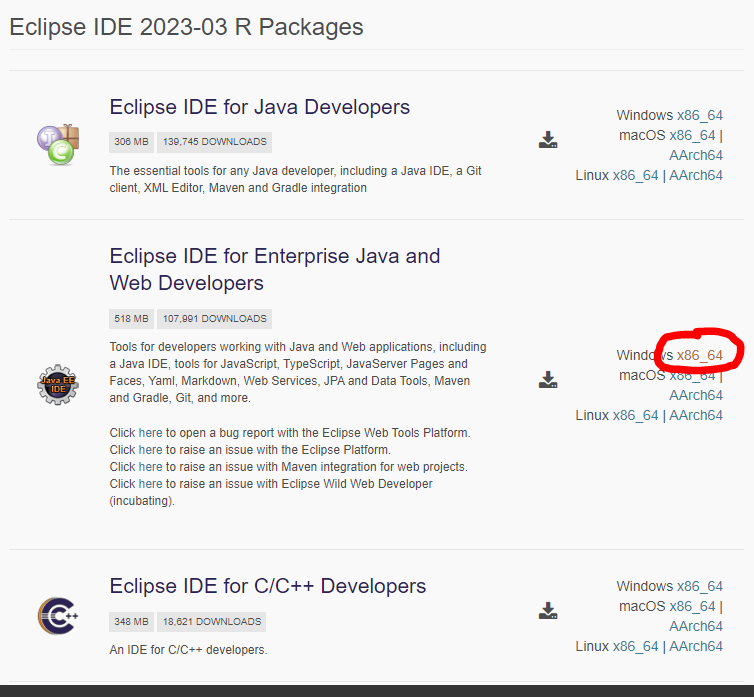
3. Eclipse IDE for Enterprise Java and Web Developers 을 자신의 PC 버전에 맞게 클릭 (아래 사진은 Windows 기준)
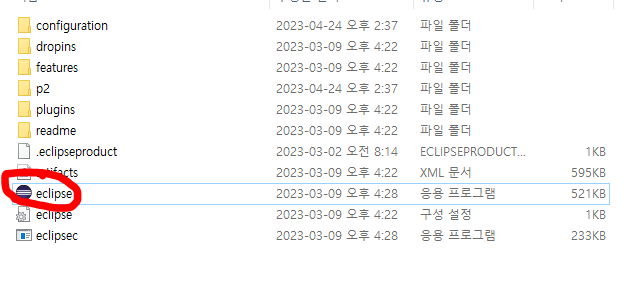
4. 다운로드 된 알집파일을 압축풀기 후 eclipse 클릭
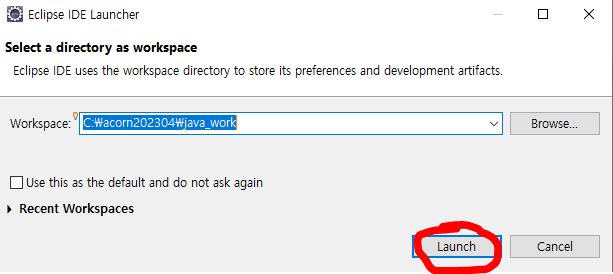
5. 파일을 저장할 Workspace 지정 후 Launch 진행
Eclipse 프로젝트 생성
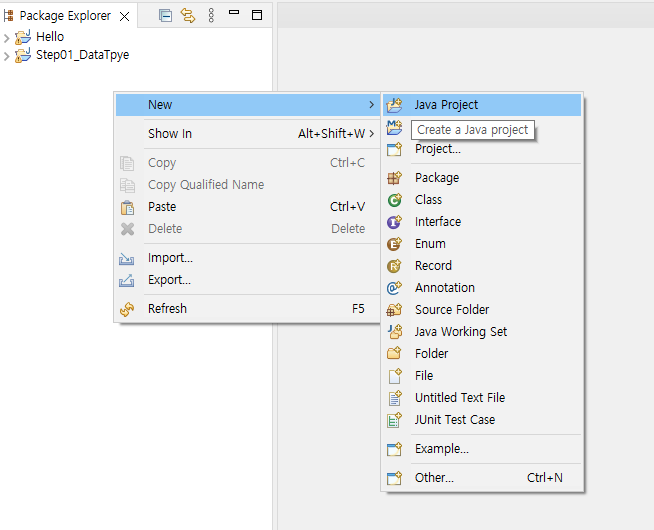
1. Package Explorer 창에서 마우스 오른쪽클릭 > new > java project 클릭
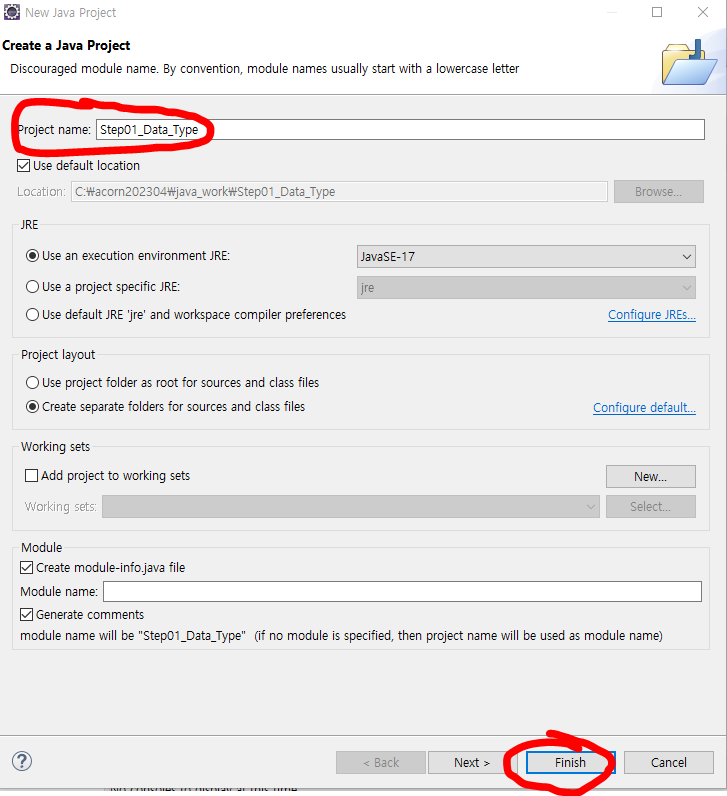
2. 프로젝트 이름 입력후 Finish 클릭
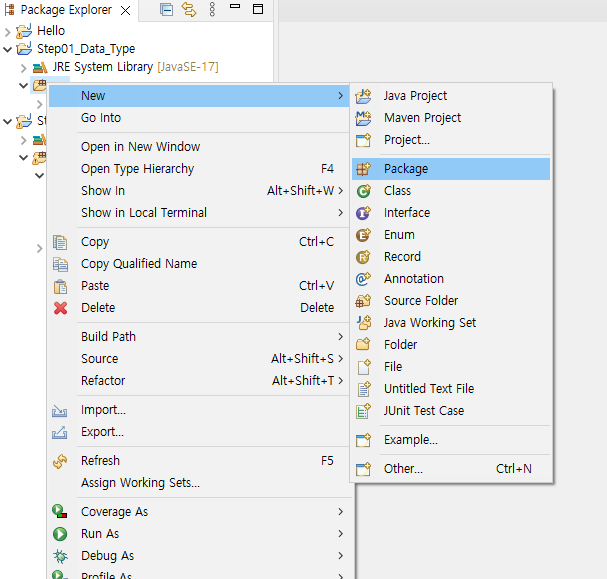
3. src 폴더 오른쪽 클릭 > New > package 생성
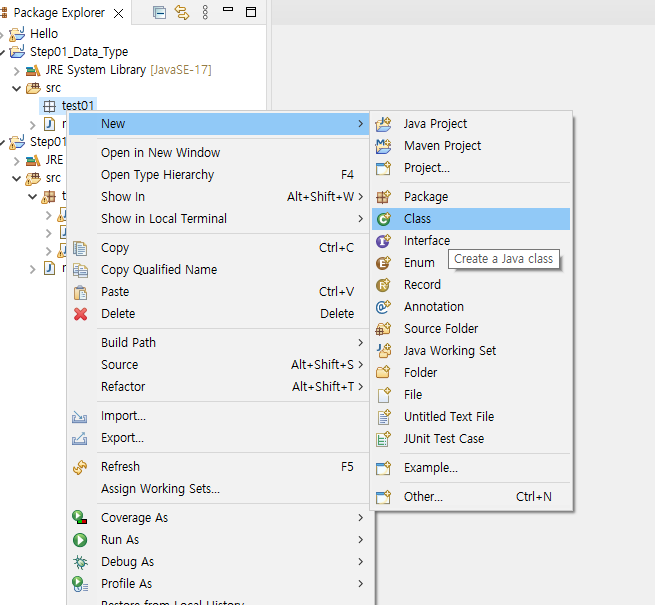
4. 생성된 패키지 파일 오른쪽클릭 > New > Class 클릭
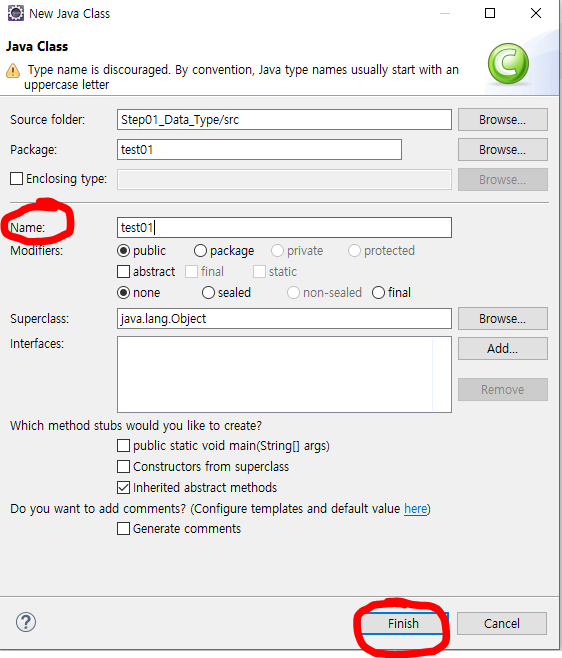
5. Class 이름 지정 후 Finish 클릭
6. 생성된 클래스 파일 클릭후 main 메소드 생성
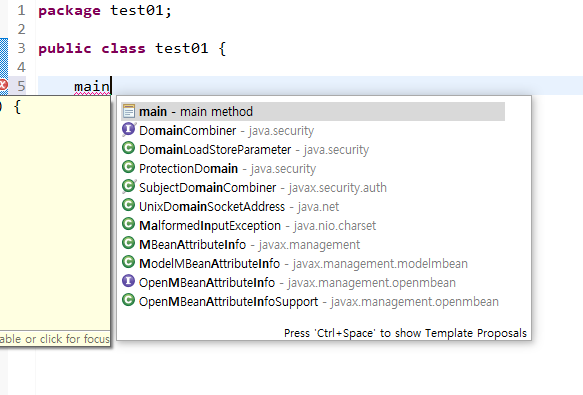
main 입력후 Control + 스페이스바 > 엔터 눌러서 main 메소드 생성
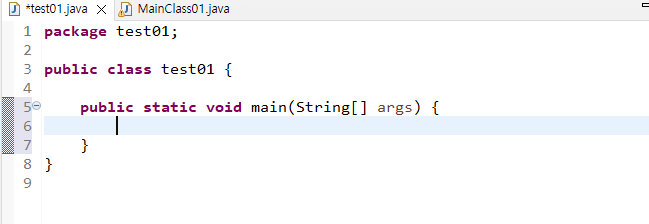
아래와 같이 나온다면 이클립스 사용을 위한 기본 셋팅은 완료 입니다.
'Java' 카테고리의 다른 글
| [Eclipse] Java 증감 연산자 (0) | 2023.04.25 |
|---|---|
| [Eclipse] Java 산술 연산자 (0) | 2023.04.25 |
| [Eclipse] Java 변수 선언 (0) | 2023.04.25 |
| [Eclipse] Java String 참조 데이터 type (0) | 2023.04.25 |
| [Eclipse] Java 기본 데이터 type (0) | 2023.04.24 |


