1. GitHub 회원 가입
GitHub: Let’s build from here
GitHub is where over 100 million developers shape the future of software, together. Contribute to the open source community, manage your Git repositories, review code like a pro, track bugs and fea...
github.com
2. git 사용을 위한 기본 셋팅
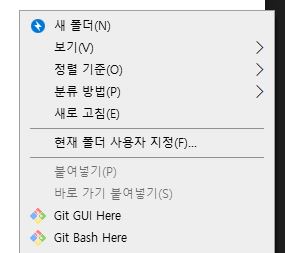
- git을 사용할 폴더 위치로 이동 후 오른쪽 클릭 > Git Bash Here 클릭
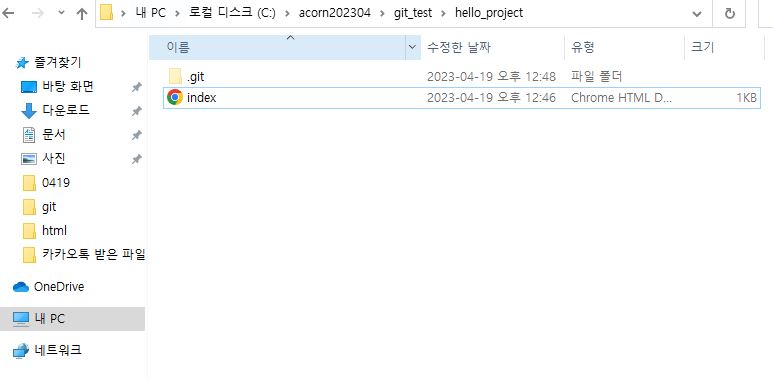
- Git Bash 실행 후 git init 입력하여 해당 폴더에 local 저장소 생성됨.

3. 작업물 생성 및 수정
- vs code를 이용하여 index.html 파일 생성 및 내용 작성

4. Commit 1 cycle
- Git Bash으로 돌아와 작업한 내용을 git add . 으로 commit 준비 후
- git commit -m "내용입력" 으로 commit 완료

5. 저장소 생성
- GitHub 홈페이지로 돌아와 새로운 repository 생성
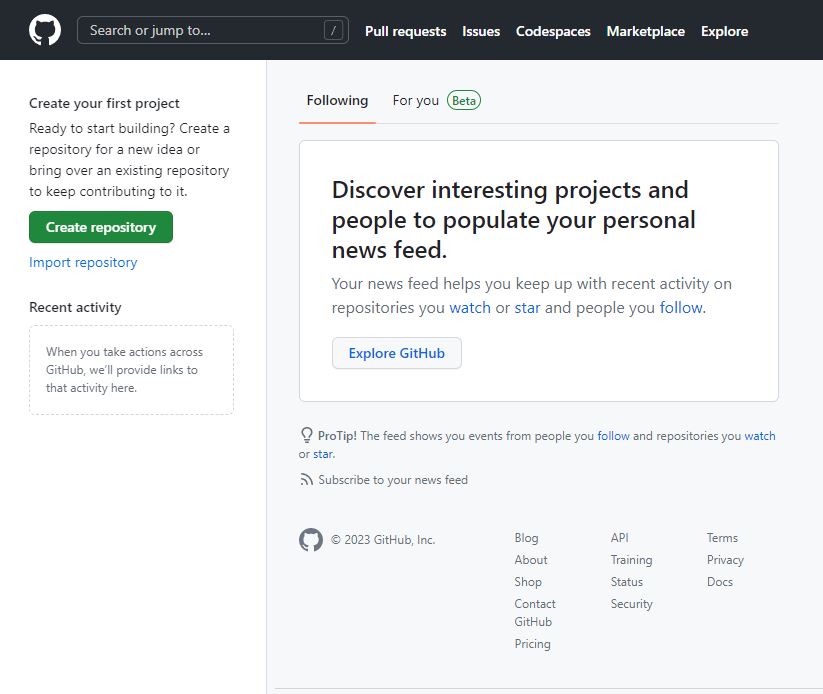
- 좌측 상단 [create repository] 클릭
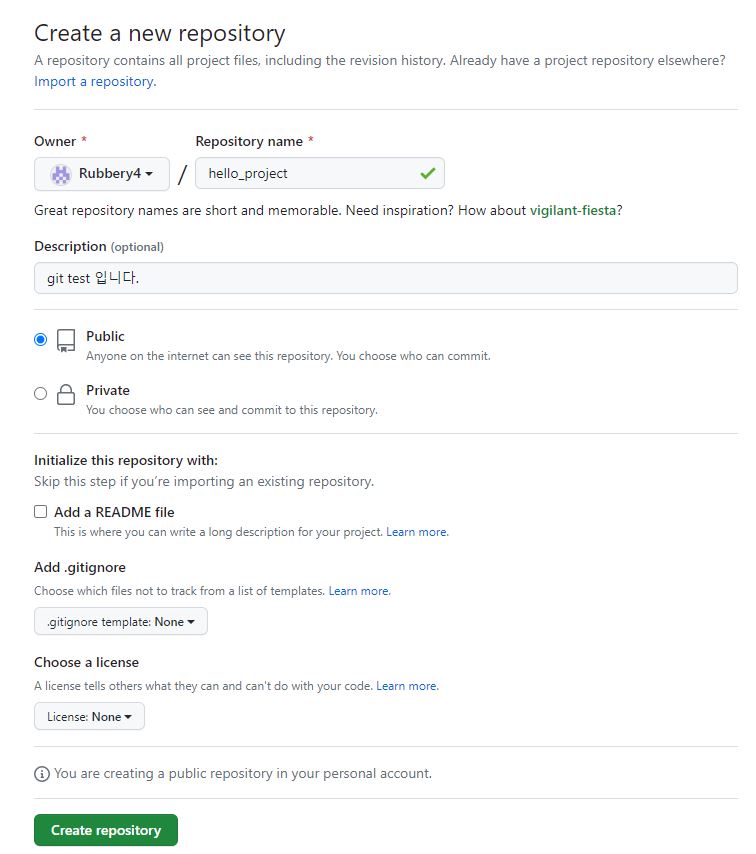
- 위와 같은 내용으로 저장소 생성
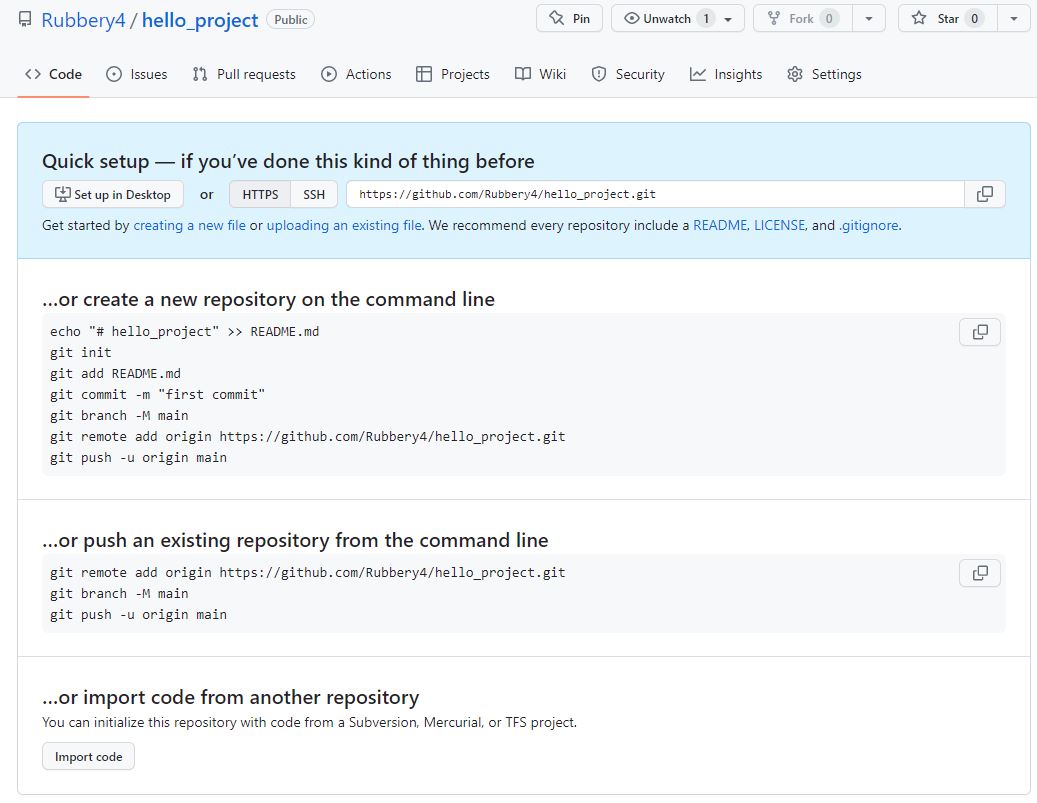
6. push 실행 준비
- or create 부분의 해당 영역 복사
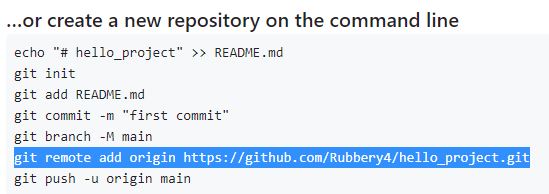
- Git Bash 으로 돌아와서 해당 내용 붙여넣기
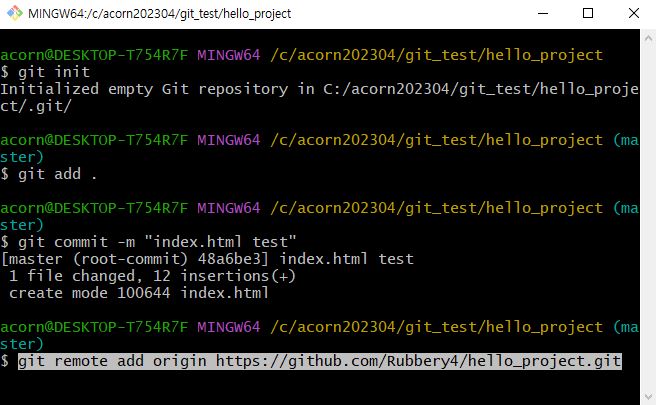
7. push 실행
- git push -u origin [저장소명] 입력하여 작업물 push

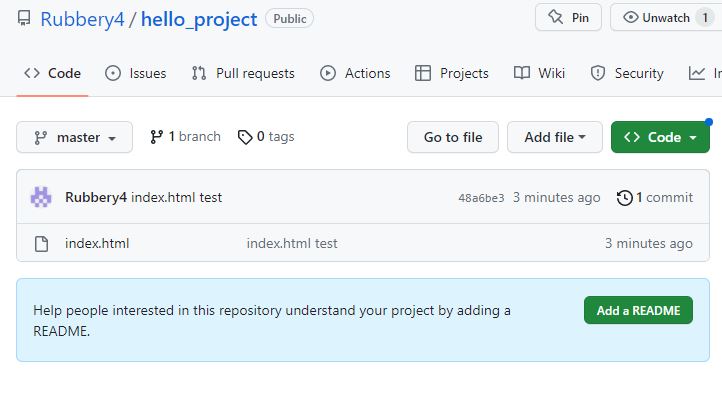
- commit 한 작업물이 성공적으로 github에 업로드 된 모습을 볼 수 있다.
'Git' 카테고리의 다른 글
| [Eclipse] Git Hub clone 코드 사용하기 (0) | 2023.05.11 |
|---|---|
| [Eclipse] Git Hub 연동 및 푸쉬 (0) | 2023.05.10 |
| Git Hub fetch, pull (0) | 2023.04.24 |
| Git 초기 셋팅 및 명령어 (0) | 2023.04.06 |


